● REC · For Microsoft Teams
Rewind adds call recording, live monitoring and custom reporting to the Teams calls you already make — plus queues, routing and wallboards when you need them. Calls stay on Teams; your data stays in Australia.
What it does
Everything runs on the numbers you already have in Teams — routing and queues on one side, recording and retention on the other. One login, hosted in Australia.
The product
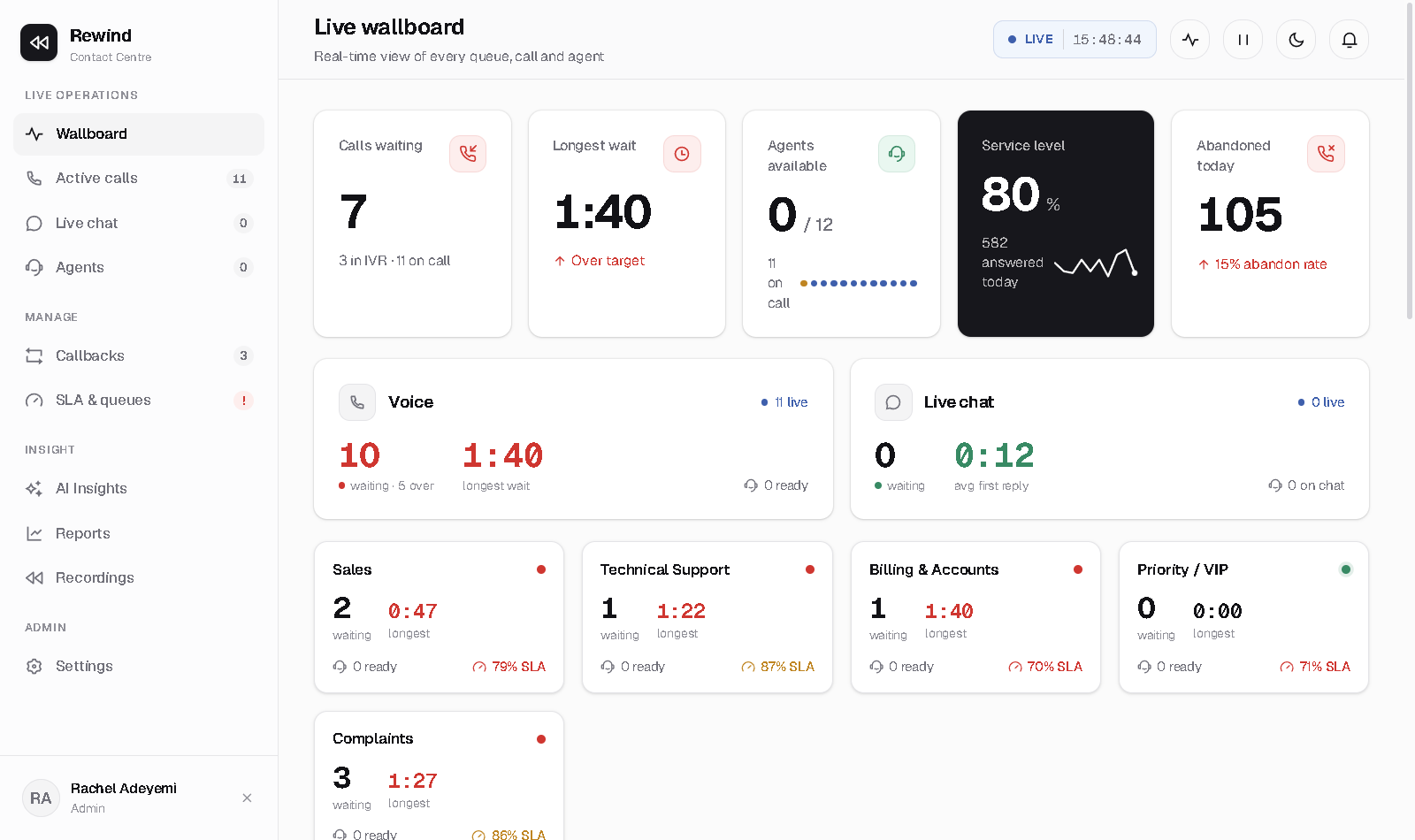
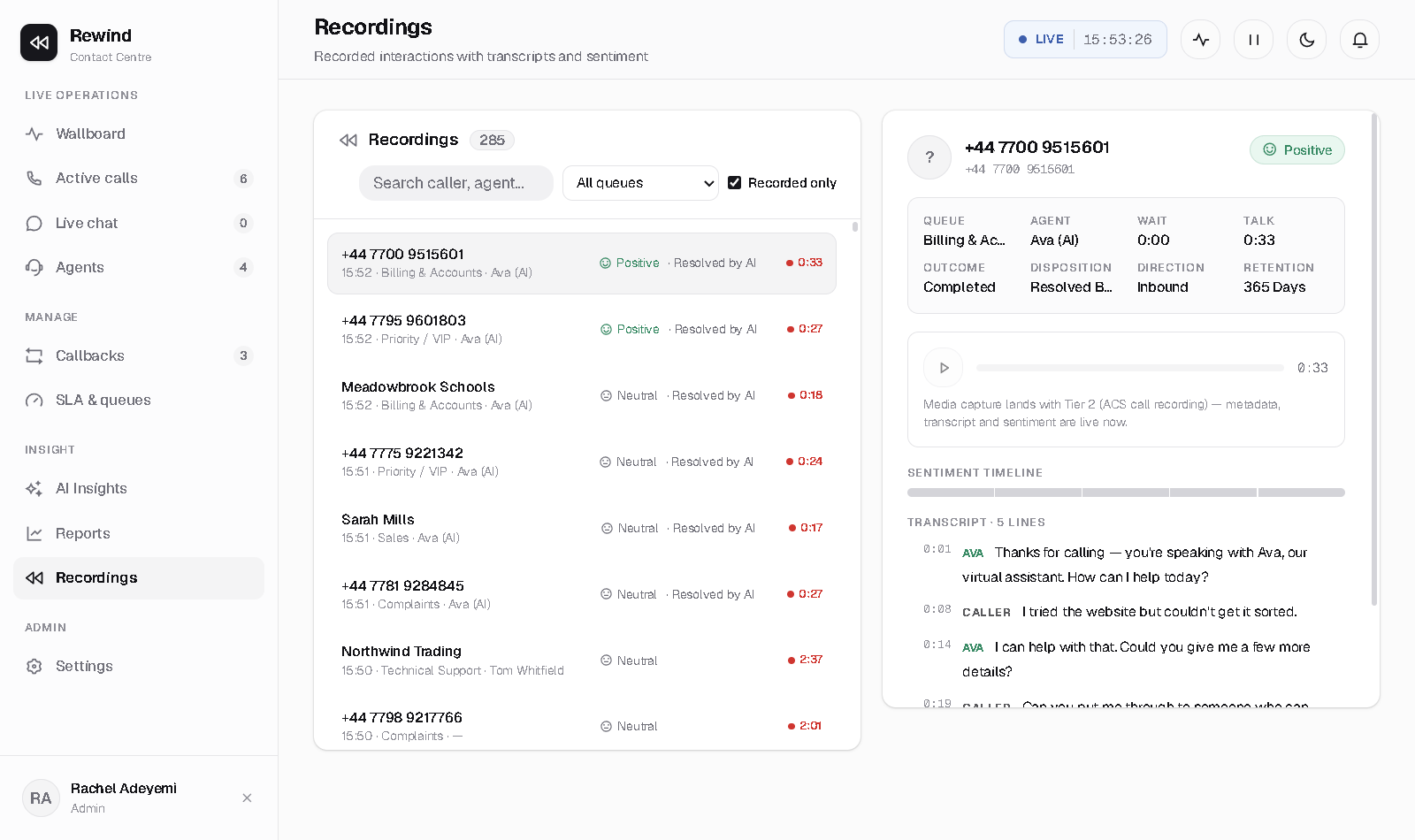
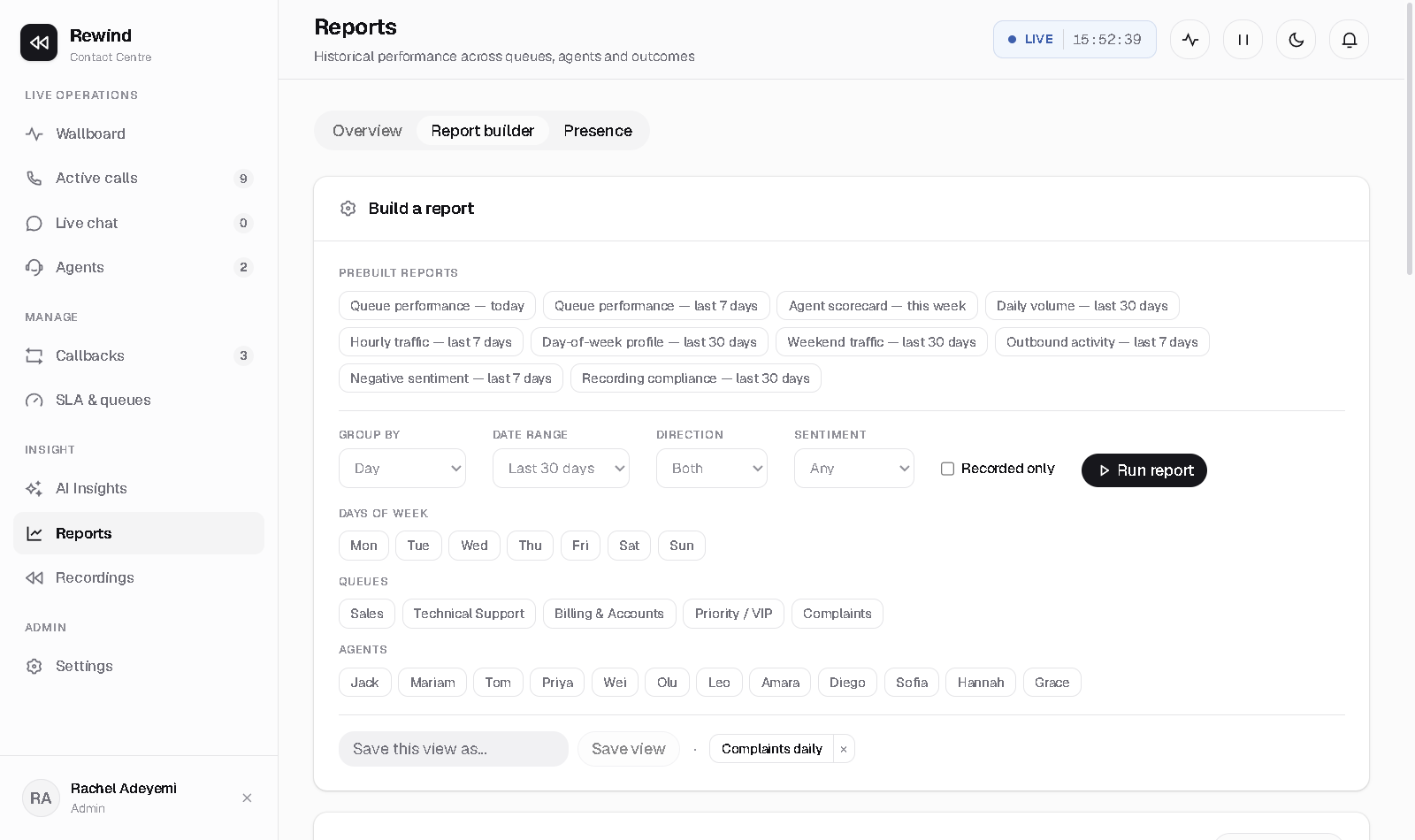
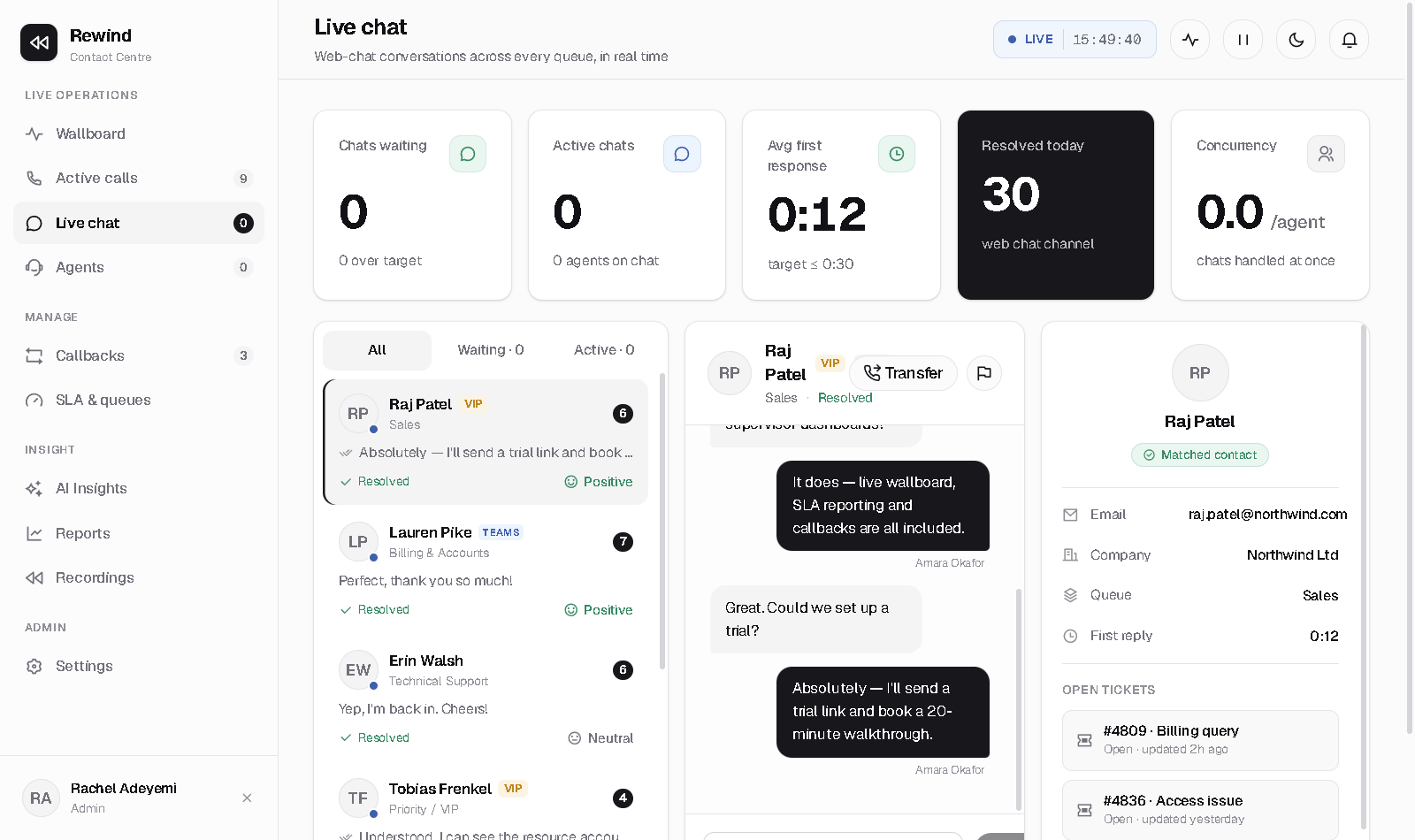
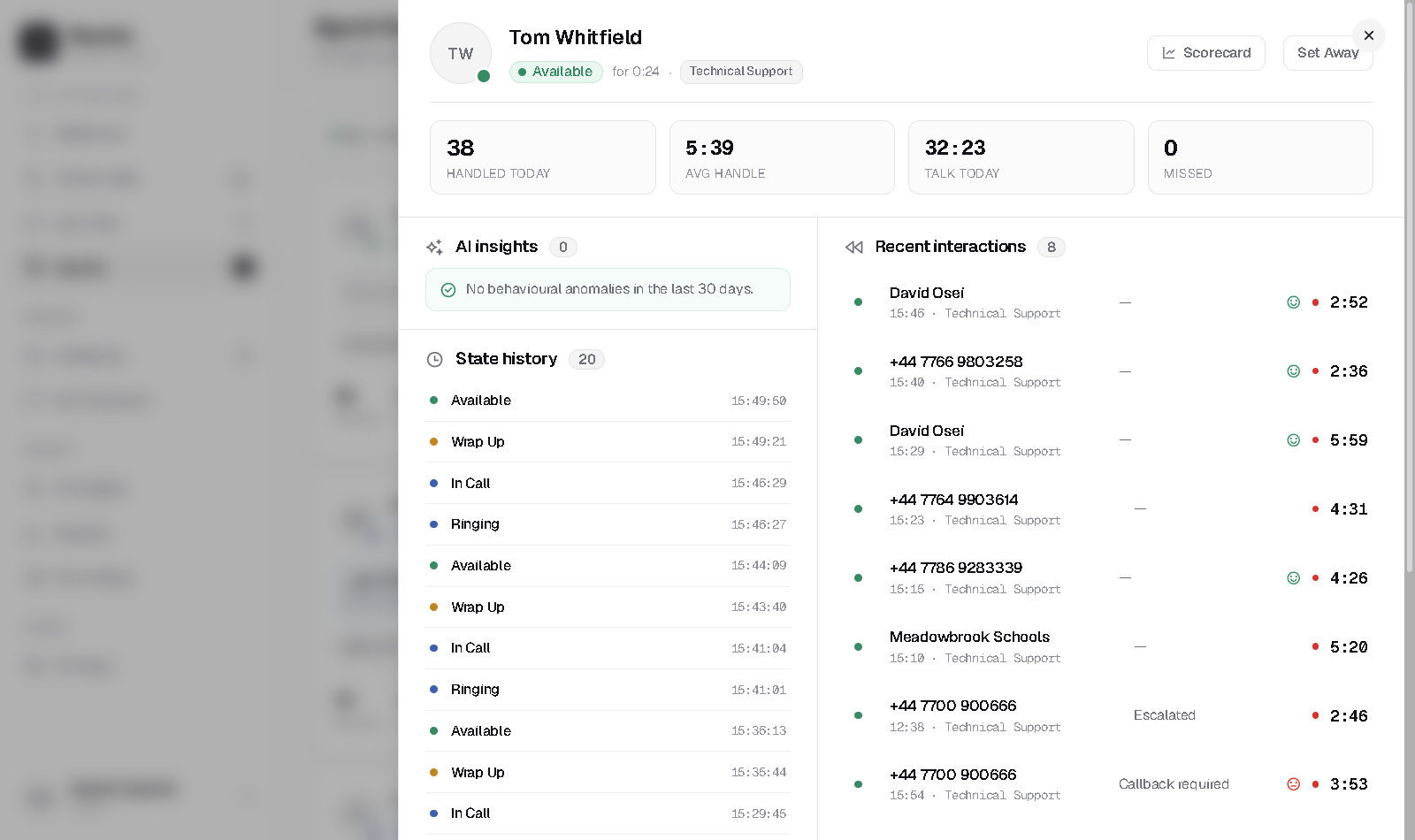
These are the real screens in Rewind — the wallboard, the recordings, the reports and the agent view.


How it works
Rewind runs on Microsoft's own Teams Phone platform. No SBCs, no SIP trunks to us, no number porting.
Sign in with Microsoft and point a resource account at Rewind — Direct Routing, Operator Connect or Calling Plans.
The in-app guide walks you through queues, your IVR, recording policy and mapping agents — no professional services.
Calls ring agents natively in Teams. Watch it live on the wallboard from minute one.
Every call is captured to Australian storage, searchable and audited, ready for compliance.
Pricing
One flat price per enabled user, per month, in AUD — every feature included, minutes pooled across your team. Add Compliance Recording only for the users who need it. 7-day free trial, no credit card.
FAQ
Yes. Encrypted, per-tenant Australian storage with retention and legal-hold controls.
No. Rewind runs on your existing Teams Phone numbers (Direct Routing, Operator Connect, or Calling Plans).
No. Calls ring natively in the Teams client agents already use.
A$79 per enabled user per month for the full seat (2,500 pooled minutes). Compliance Recording is A$35 per recorded user per month. Overage A$0.06/min beyond the pool. 7-day free trial, no credit card.
DIDs, internal Teams-to-Teams, PSTN, and meetings — via certified Teams policy recording (when Compliance Recording is enabled).
Rewind is a Teams-native contact centre + recording layer for organisations already on Teams Phone. Useful when you need queues, IVR, wallboards, and AU-hosted recording without leaving Teams.
Sign in with Microsoft, connect a number, and start recording and reporting on your calls the same day.